
Tickets
Ticket Overview
Tip
Regardless of the origin channel, a ticket is automatically generated for each customer request. Classic channels include Chat, E-mail, Letter, and Call.
In addition, there is the Customer Center for personal appointments on site, Portal for requests that are submitted via integrated web forms, and System for automatically generated tasks, as they may arise in the context of Mako or NNA processes.
Display
At a glance: Mood of the customer, Content and Subject, Priority, Assignment and Status. The view can be sorted individually.
Using the Filter specific tickets, can be called up specifically across many criteria. The bulk update enables targeted actions across multiple tickets.
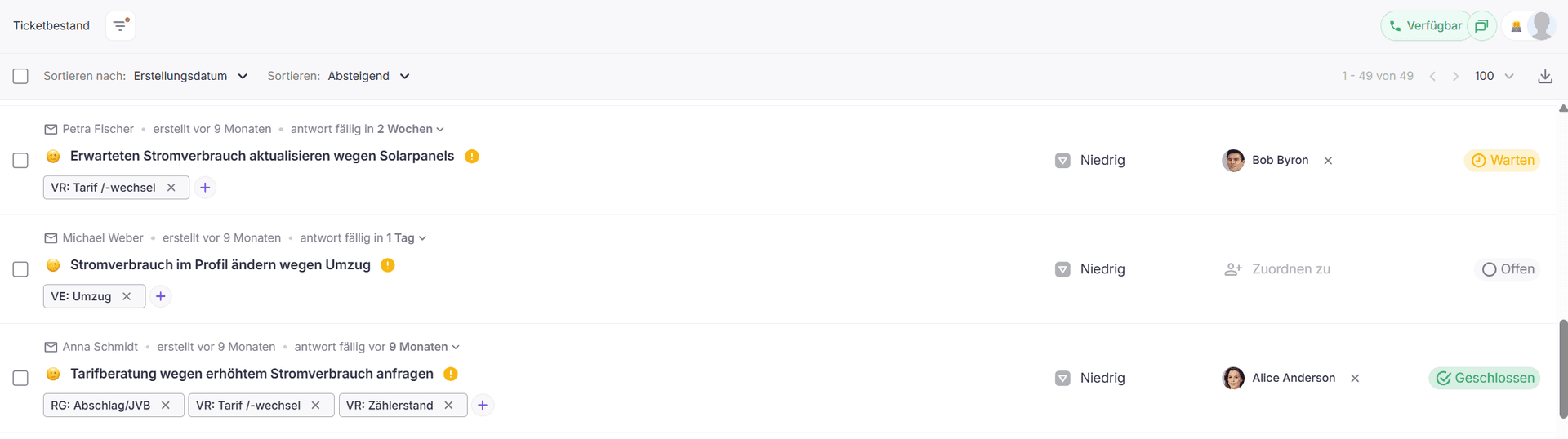
Filter
In addition to the traditional filter functions, the filter offers additional possibilities that go beyond the classic limitation of tickets.
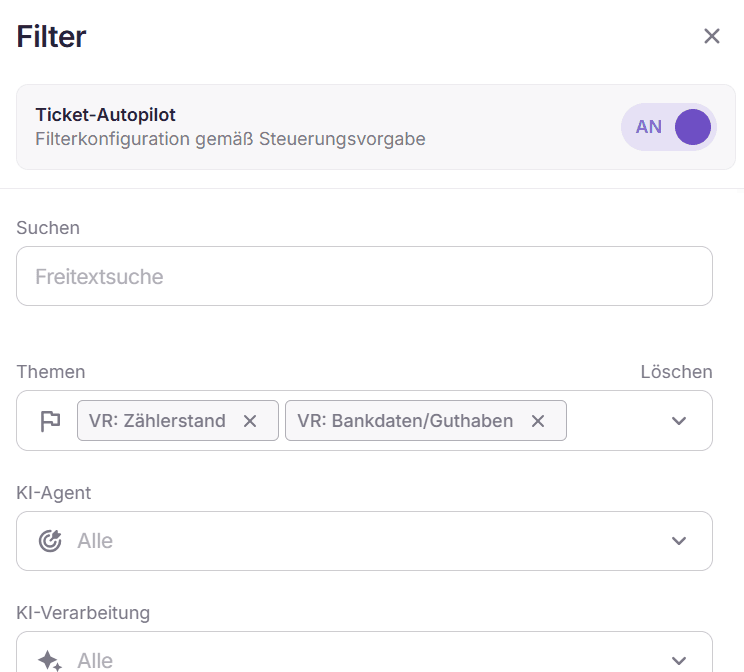
If skills are stored for the user, e.g. meter reading and bank details, the Autopilot can be activated.
The topics in the filter are now pre-filled, and in this mode, the user only receives tickets that match the stored skills.
Tip
By filtering for disgruntled customers and targeted processing, escalations can be prevented.
Bulk Update
The bulk update allows attributes of multiple tickets to be changed specifically and consistently.
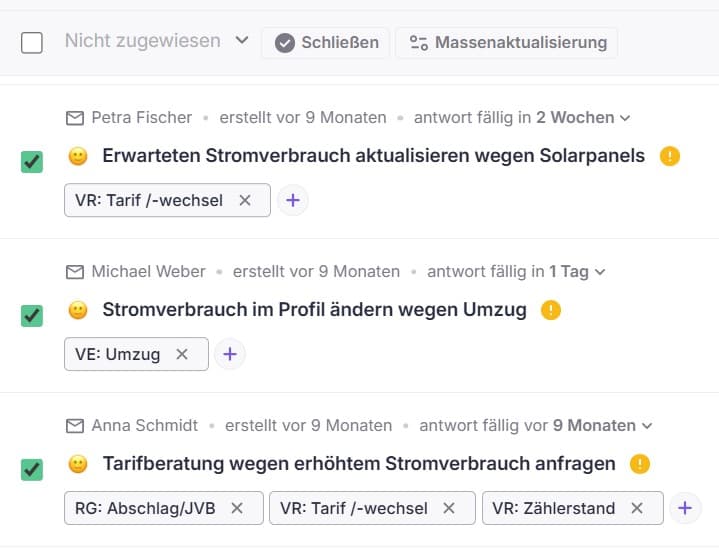
Via the checkbox selection, any number of tickets can be marked and then updated in one step.
This allows operational adjustments to be efficiently made across larger ticket quantities without having to open each ticket individually.
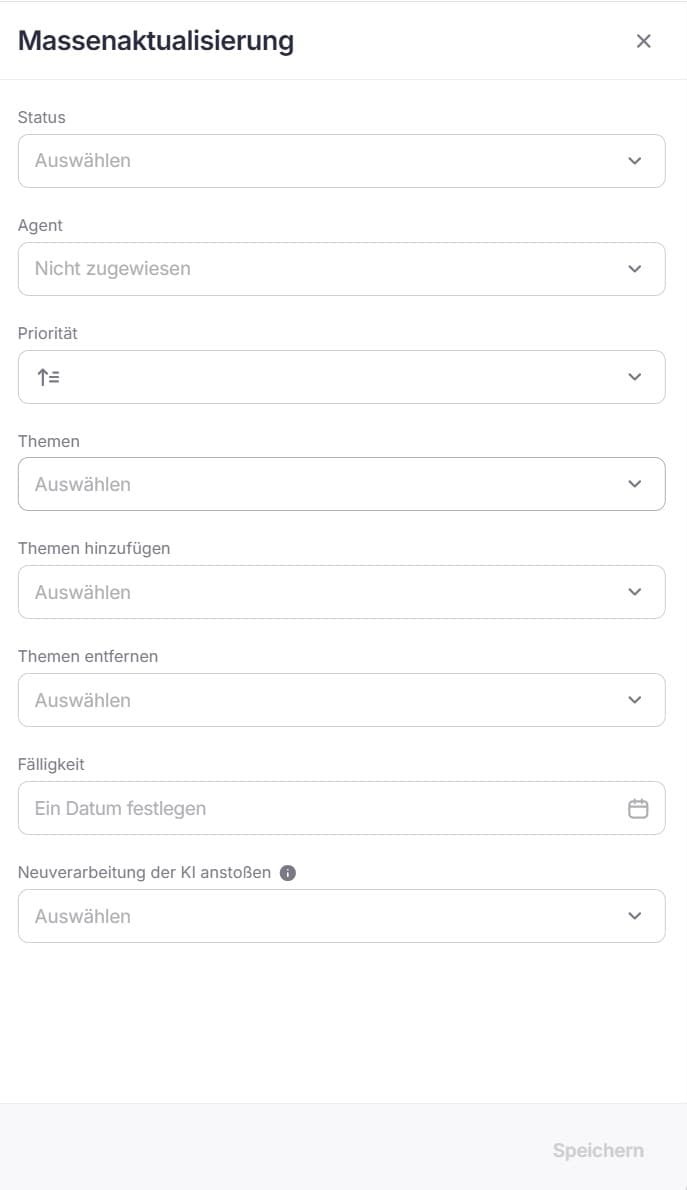
An update of status, agent, priority, and due date behaves the same as in a single ticket.
When updating topics, all existing tags of the selected tickets are replaced. If topics are to be added or removed only, separate options are available for this.
A "Complete Update" in the "AI reprocessing" menu updates all AI results of the selected tickets. Processing takes place in the background and usually takes 5–30 seconds per ticket.
In the daily business, tickets on a particular topic can flood in and need to be work upon short-term prioritization.
Info
If the priority is set by bulk update, it remains in place even with later customer responses, even if the new concern relates to another, less relevant topic!
In order for the priority to be based on the respective topic again with renewed feedback, it is recommended to use a tag like "Temporarily Prioritized" with an appropriate priority.
This tag can be added to the affected tickets specifically, used for the duration of the prioritization and then also specifically removed.