
Tickets
AI Agents in the Ticket
What AI agents show in the ticket view and what to do
Tip
AI agents handle recurring customer requests, such as new bank details, a change to the monthly instalment or a meter reading. They read the data they need, prepare changes and write the reply to the customer. In the ticket view they appear in the middle column under AI agents.
What this looks like depends on the channel and on the ticket processing mode.
Email, letter and system: the resolution plan
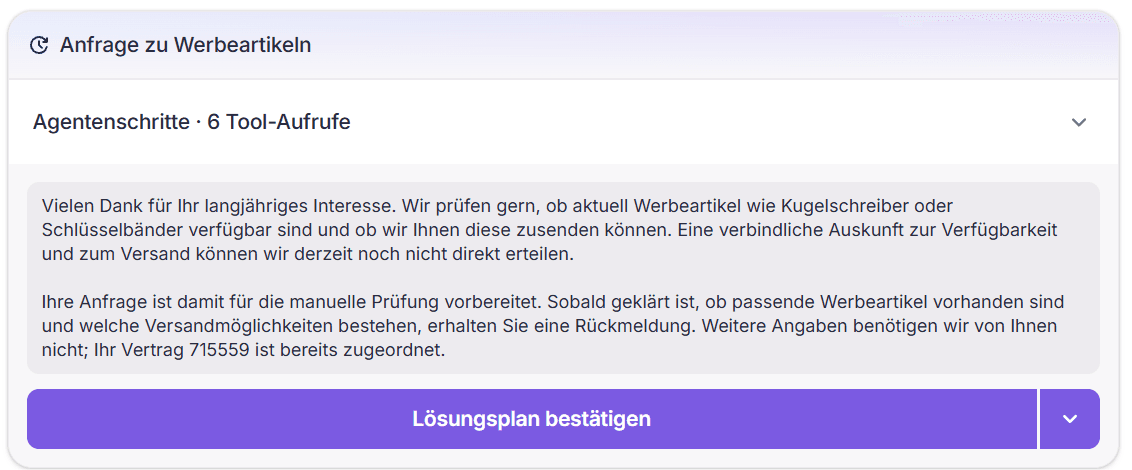
An AI agent plans the whole ticket in one resolution plan: several steps and a prepared reply to the customer.
Nothing is executed until a decision is made. The steps can be reviewed and adjusted; Confirm resolution plan ("Lösungsplan bestätigen") runs them together and moves the reply into the reply editor.
Agent steps shows which data the AI agent looked up.
Chat and phone: AI agents one by one
When an agent takes over a conversation, AI agents always run in compatibility mode. The same applies to email, letter and system tickets when the ticket processing mode is set to it.
- Each detected AI agent appears as its own card and is approved individually.
- If a suggested AI agent doesn't fit, it can be removed via Unrecognized issue?.
- If no AI agent fits, the Basic Agent suggests a reply (see AI suggestion for response).
Read more
Review and confirm a resolution plan
Adjust steps and decide on the whole plan
Observability of AI agents
Which tools an AI agent called and with what result
Default agents
Bank details, instalment and meter reading in detail
How AI agents work in enneo
Resolution plan, bot conversations and the roles of AI agents at a glance