
Tickets
AI Suggestion for Response
Information and Usage
Tip
The AI suggestion for response is generated by the Basic Agent when no other AI agent fits the request.
The content is based on public articles in the Wiki and prior, comparable requests. Therefore, the AI learns with each use and continuously improves.
How the suggestion appears in the ticket view depends on the ticket processing mode. Both variants appear in the middle column under AI agents.
Customer request
"...I wanted to ask whether you offer promotional gifts? I've been a big fan and a customer for years, and I'm very interested in pens or lanyards. Please get back to me about this..."
AI text suggestion
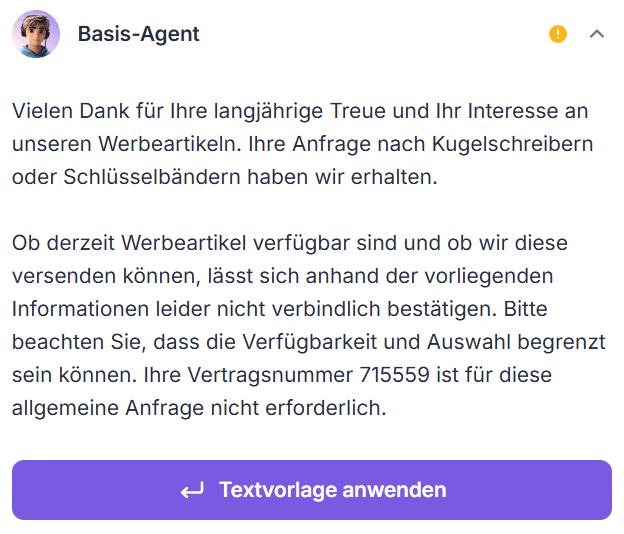
Info
Clicking Apply text template ("Textvorlage anwenden") opens the reply editor with the text template below the customer's request. After optional fine-tuning, it is sent with a click.
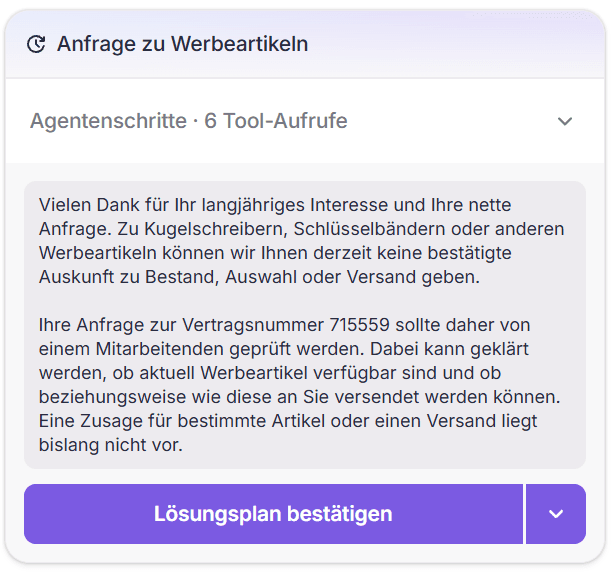
Note
The resolution plan is the default for email, letter and system tickets. Chat and phone always run in compatibility mode. The setting Ticket processing mode under Settings → AI Customization → Auto-processing shows which mode is active.