
Automation
Types of Release
Types, Confidence Level and Time Offset
Tip
The Dark Processing allows a fully automatic processing of customer concerns by AI agents without human interaction. Defined business processes are thus processed efficiently and on target, reducing processing times, freeing up resources in customer service and significantly increasing customer satisfaction.
Activation of Dark Processing
Dark Processing is configured under Settings → Dark Processing. The page requires the permissions to edit settings and to configure auto-processing; without them, the page is not available.
At the top of the page, Dark processing (Pause/Resume) pauses and resumes Dark Processing. While it is paused, nothing runs automatically; your levels are kept and apply again when you resume.
The following basic principles apply:
-
The customer must be clearly identified (sender address matches with ERP data).
-
AI agents process customer concerns automatically and case conclusively according to defined rules.
-
The check is carried out by an AI agent with ERP data comparison.
-
Unclear cases are forwarded to an employee.
Confidence Level for Dark Processing
The confidence level ensures that enquiries are processed with the necessary reliability. The higher the set level, the more certain the identification of the customer and the match of the enquiry with the defined rules must be before automatic processing occurs.
Available Options:
-
Maximum: Sender email/postal address of the customer matches with ERP data.
-
Very high: Customer provides correct combination of customer and contract number.
-
High: Customer provides correct customer/contract number and the surname stored in the ERP system (recommended setting).
-
Medium: If no email address is stored in the ERP system, all sender addresses are accepted.
-
None: Do not check sender's email/postal address.
Levels of Dark Processing
Dark Processing is set per output-handling case of a rule-based AI agent, in the Levels per AI agent result section. Each case has one of three levels:
-
Off: An operator processes the ticket as usual. The AI agent offers its processing options but does not execute anything itself.
-
With approval: Enneo prepares the ticket completely and a person releases it with one click on "Process now".
-
Automatic: The ticket is processed automatically without further release – if the time delay is enabled, only after the configured hours have elapsed. This offers the highest degree of automation but requires precise configuration to avoid misdeclarations.
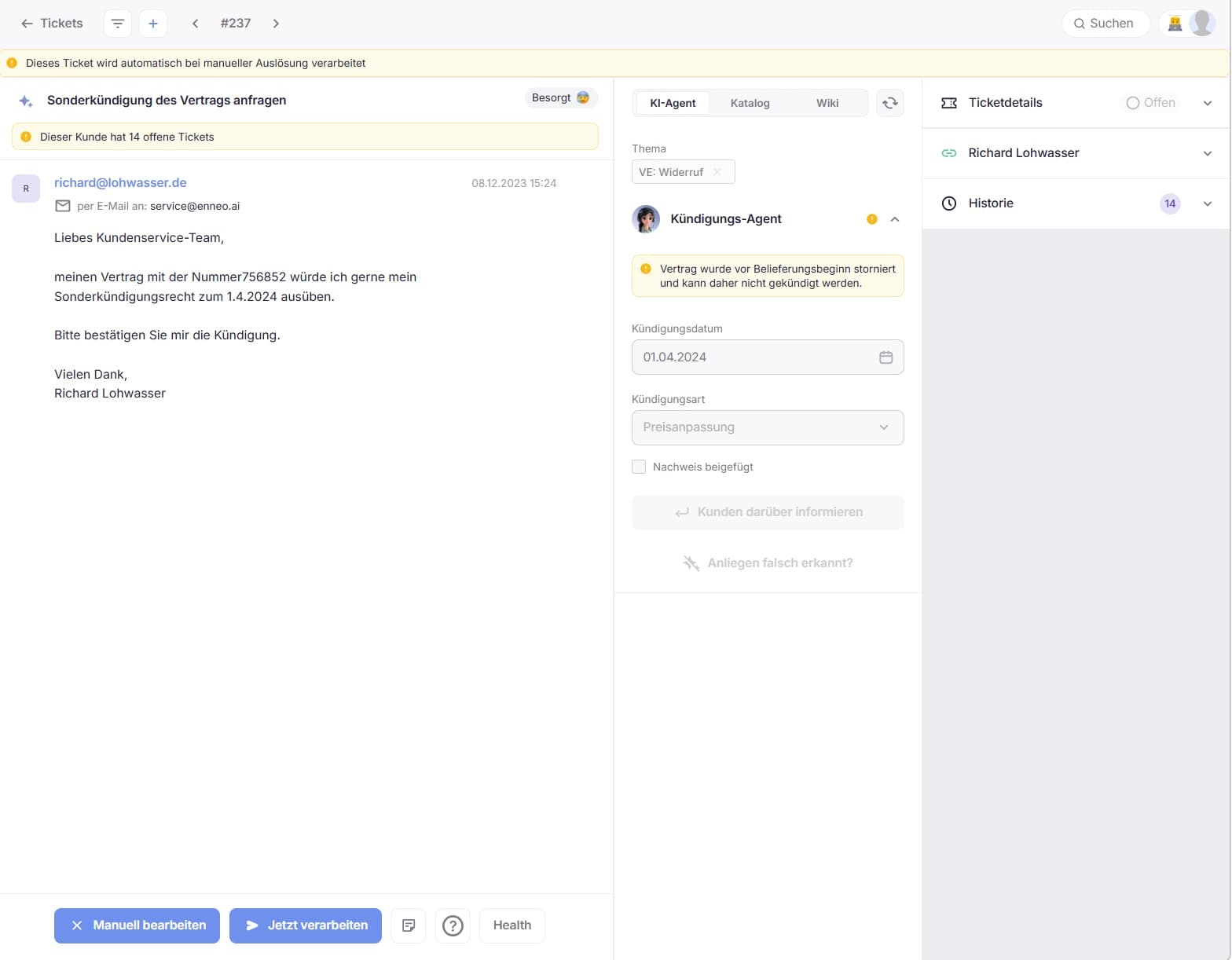
In this ticket, the customer has been clearly identified, their concern is at the "With approval" level and will be solved case conclusively without further interaction after a manual check by clicking on "Process now".
Good to know:
-
A case without a setting is Off.
-
A case whose result is not an action Enneo can apply on its own (e.g. an interaction case) can only be Off.
-
"Set all to" sets all cases of an AI agent to one level at once.
-
Smart AI agents have no cases to configure on this page. Custom AI Tools are listed for information only, with their usage.
-
For every case and tool, the page shows how often it occurred in the last 30 days and how many tickets were auto-processed.
When a ticket is processed automatically
A ticket can carry results from several AI agents. The lowest level decides:
-
If all results are at Automatic, the ticket is processed automatically.
-
If at least one result is at With approval (and none is Off), the ticket waits for "Process now".
-
If at least one result is Off, the ticket is not processed automatically.
Info
Previously, automatic execution was set with a checkbox on the AI agent form and via two agent lists ("with release" / "without release"). The checkbox no longer exists. Existing configurations were carried over automatically: agents that were processed without release are at Automatic, all other auto-executed cases are at With approval.
Rules for every ticket
The Rules for every ticket section of the page holds the general settings:
-
Replies without an AI agent action – pure answers and closing without a reply – always need a person to release them (With approval). This rule is fixed.
-
Replies asking the customer a question: defines how replies that ask the customer a follow-up question are treated.
-
Time offset (see below).
-
AI Bot Name (see below).
Time delay for Dark Processing
An optional time delay can be used in case tickets should only be processed after a defined waiting period. If this function is activated, the ticket will only be processed automatically after the set hours have elapsed.
For example, a time delay of 8 hours takes working hours, weekends and holidays into account according to the SLA setting.
Naming of the AI Bot
For transparent communication, the name of the AI bot active in the dark processing can be defined individually. This name is used, for example, in emails or signatures to mark automated responses.
Conclusion
Dark Processing offers a powerful way to efficiently and automatically process customer concerns. The flexible configuration of levels per case and security levels allows the automation to be optimally tailored to the specific requirements of the company. This leads to a noticeable relief of customer service and an improved processing speed.